
Master Your Money,
Paycheck by Paycheck
PayCycle automatically organizes your income and expenses by pay period. Know exactly what you can spend until payday - no more guessing, no more stress.

Limited beta spots available • Expires March 12, 2026
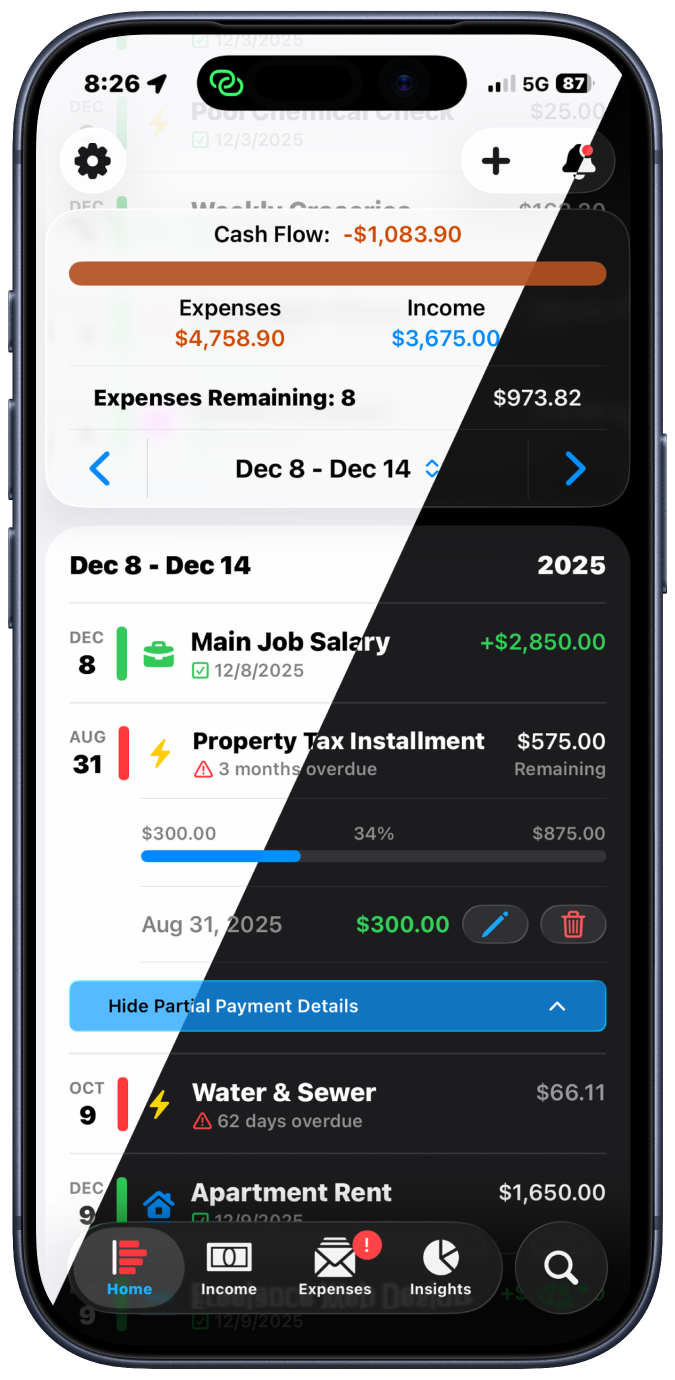
Stop Living Paycheck to Paycheck
PayCycle automatically generates your pay periods and tracks every expense within them. See your cash flow at a glance - from payday to payday.
1
Set Your Pay Schedule
Tell us when you get paid - weekly, bi-weekly, monthly, or custom
2
Add Your Bills & Income
One-time entry - PayCycle handles all future occurrences automatically
3
Track Effortlessly
Swipe through pay periods, tap to mark paid, see your cash flow instantly
Everything You Need to Stay on Top
Powerful features designed to make money management simple and stress-free
Auto Pay Period Tracking
Automatically generates pay periods based on your income schedule - every transaction organized by when you get paid.
Real-Time Cash Flow
See exactly what's coming in, what's going out, and how much you have left - all organized by pay period.
Smart Reminders
Never miss a payment with intelligent notifications that keep you ahead of due dates and overdue bills.
Spending Insights
Visualize spending patterns by category across pay periods, months, or years with beautiful charts.
Partial Payments
Split big bills across paychecks when ends don't meet. Track each payment with progress bars showing what's left.
Privacy First
Your data is encrypted and synced via iCloud (can be disabled). PayCycle never collects or shares your information - complete privacy.
Simple, Beautiful, Powerful
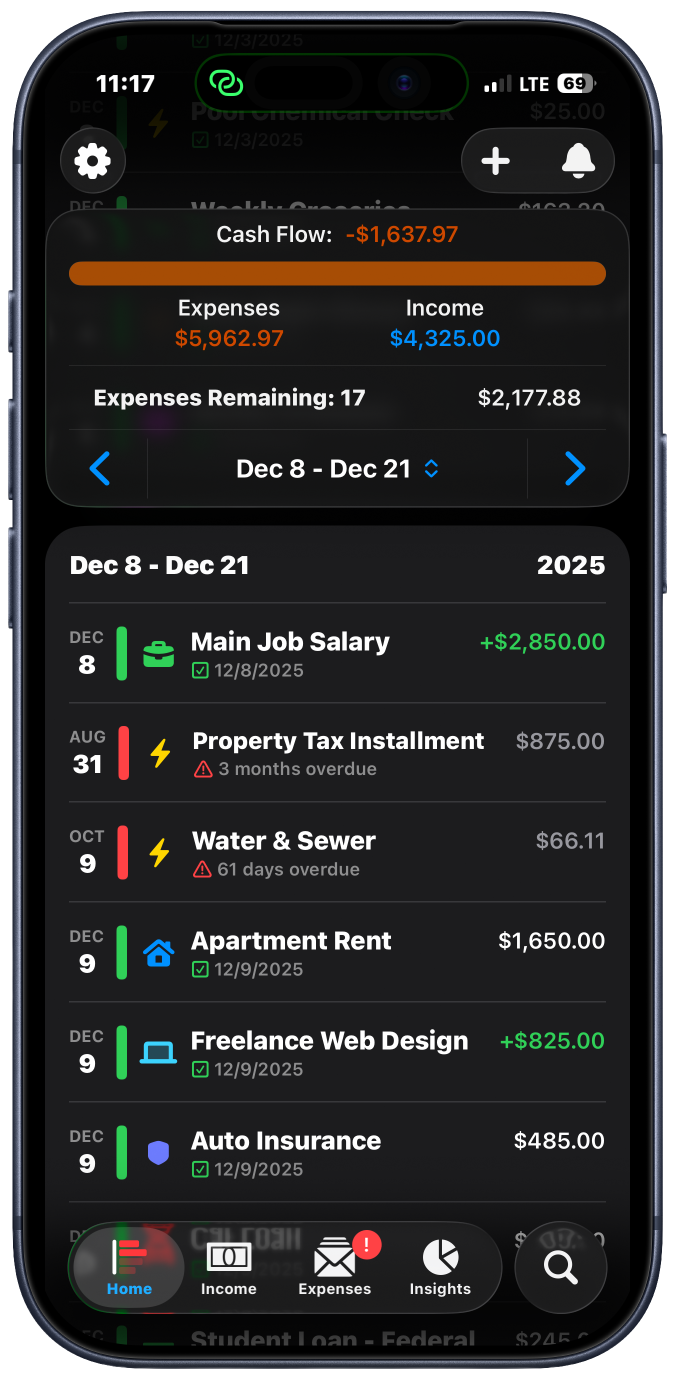
Home Dashboard
All transactions organized by pay period with cash flow at a glance
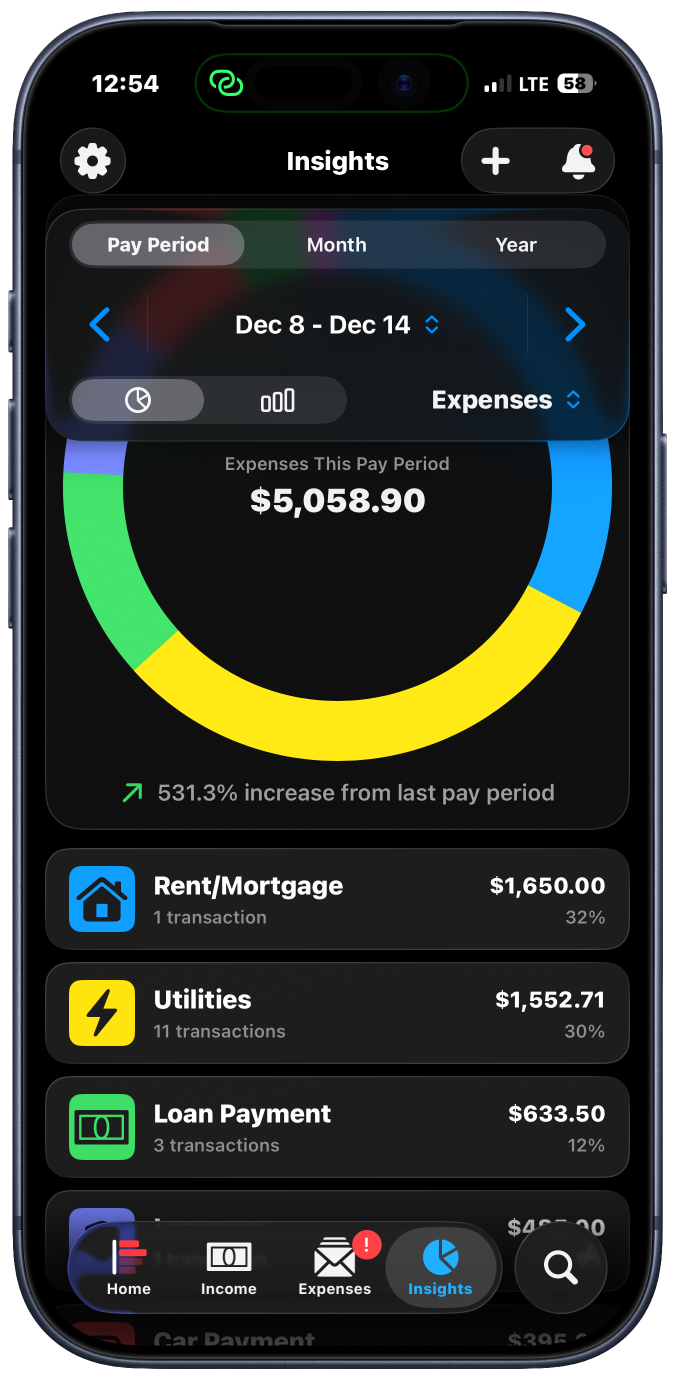
Spending Insights
Beautiful charts show where your money goes by category
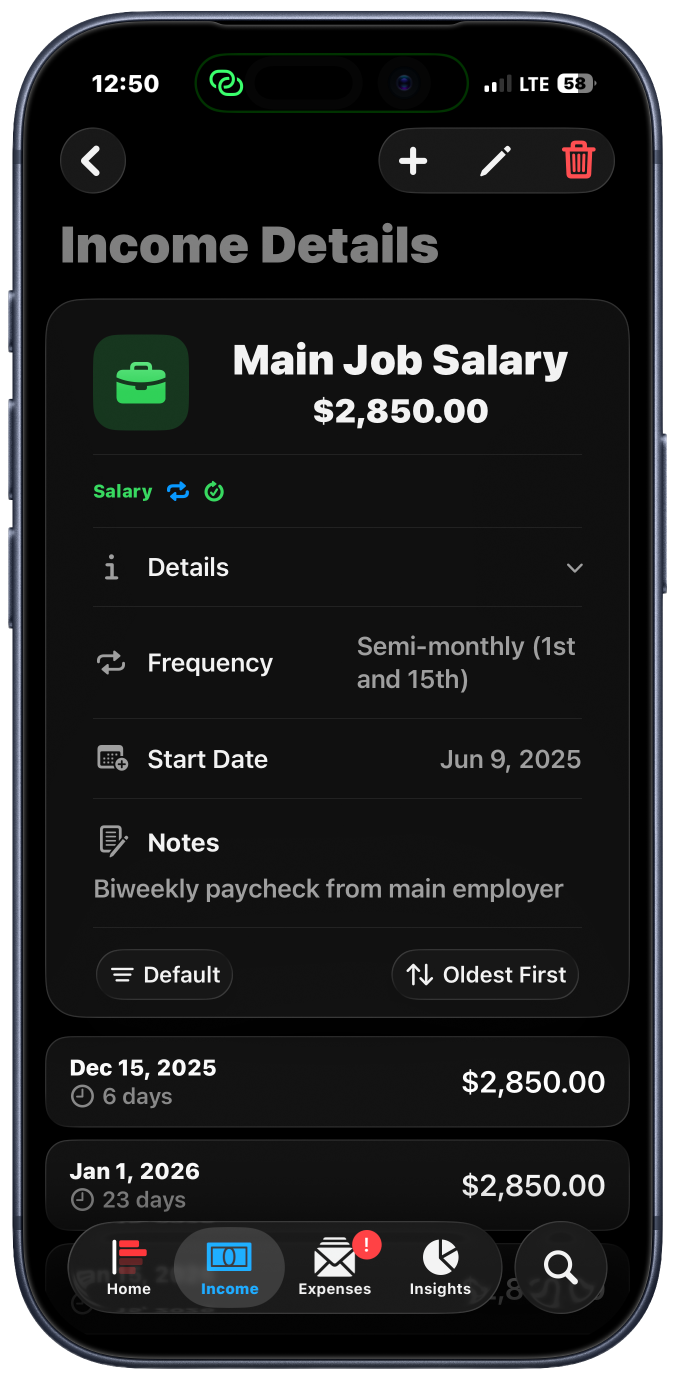
Transaction Details
See all occurrences of recurring items with one-tap marking
Take Control of Your Finances Today
Join the free public beta
Limited beta spots available • Expires March 12, 2026
Available on iPhone and iPad